

Questions and answers
1423Can I put money on my Printing Account using a debit or credit card?
If you are a current student, you can add credit to your printing account using your debit or credit card in Sussex Direct, as well as Paypal.
- Log in to Sussex Direct.
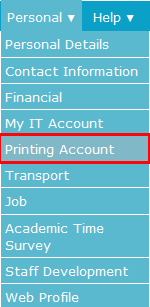
- Under the Personal menu, click on Printing Account:
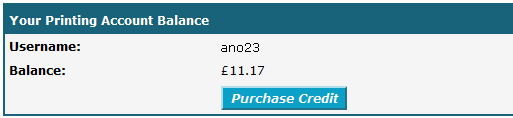
- Ensure that the username shown is the correct one to be credited, then click the Purchase Credit button:
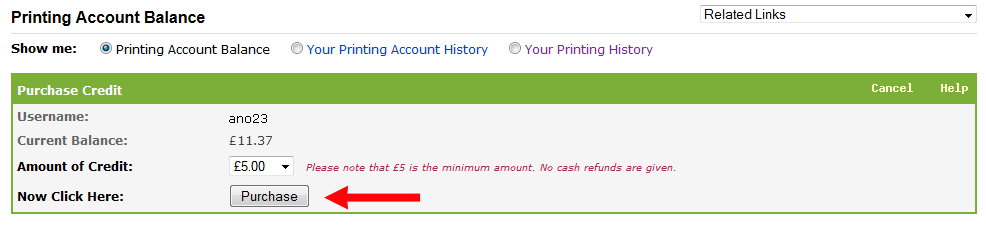
- Select an Amount of Credit. £1 is the minimum amount you can add. Then click the Purchase button:
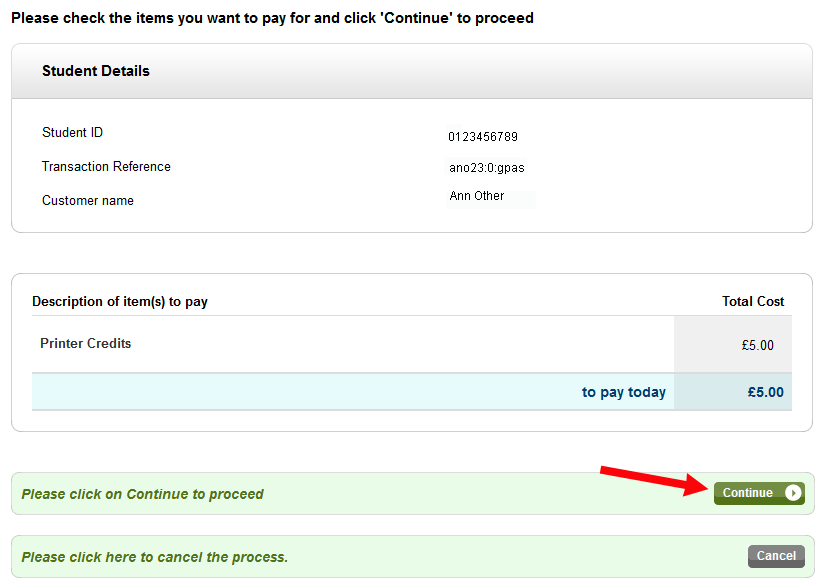
- Check the details are correct and then click on the Continue button:
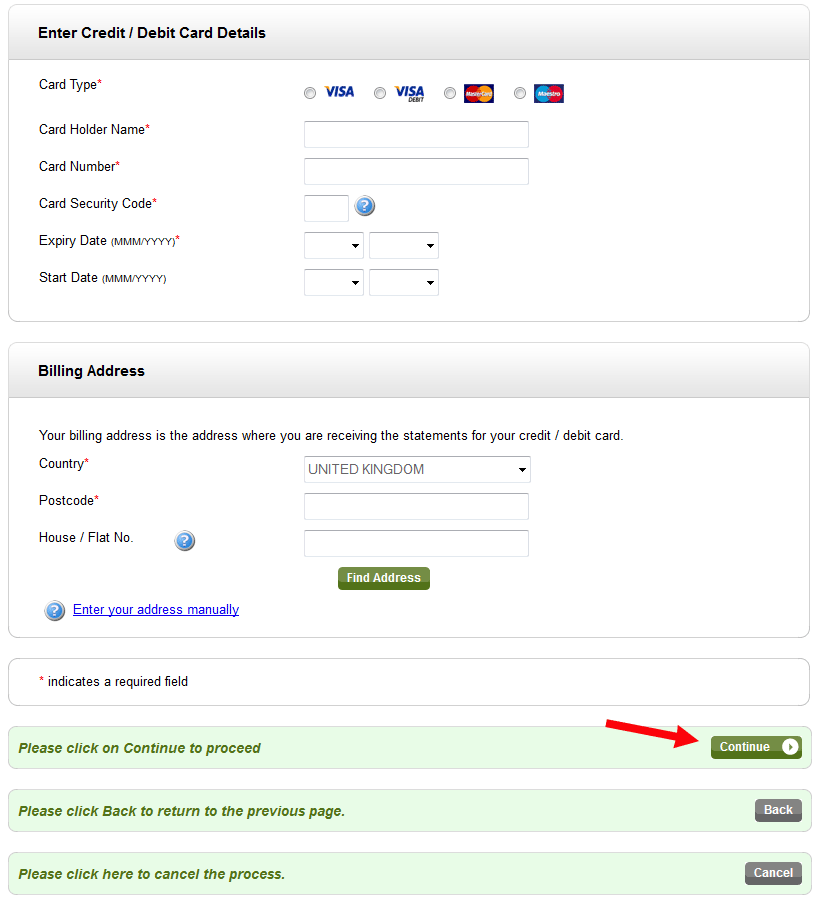
- Complete your card details and then click the Continue button:
- While your card payment is being processed the following message may appear. Please read it carefully before you click OK:

If the payment is authorised you should be shown a Payment Authorised message, showing all the payment details. You can print this by selecting File / Print from the browser menu.
Your Printer account credit should now increase by the amount purchased.
You should receive an automatic email message from Student Accounts confirming your payment.
Help us to improve this answer
Please suggest an improvement
(login needed, link opens in new window)
Your views are welcome and will help other readers of this page.