

How to...
Installing Mathematica
Mathematica is powerful computational software for equation solving, mathematical modelling, data processing and analysis, image manipulation and many other tasks. If you are a student or member of staff, you can download and install the software on your own computer.
The software is compatible with Windows, Mac or Linux and can be installed from the Wolfram website.
Register to use Mathematica on your own computer
Staff
- Login to the Mathematica page on our website and follow the instructions to licence and download the software for your own computer
- You can install Mathematica on your office PC from Software Hub
Students
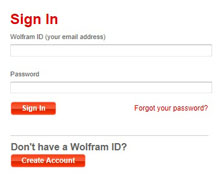 First download the free trial version of Mathematica: go to the Wolfram website (link opens in new tab), click on the button to Create Account and get a Wolfram ID if you don't already have one.
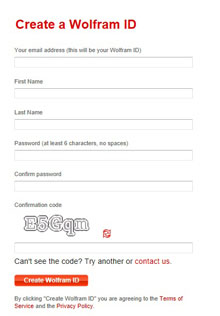 Enter your personal details (make sure you use your Sussex email address) and click Create Wolfram ID
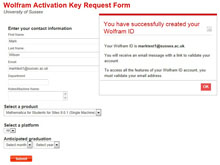 You will be sent an email with a validation link to confirm your address. Check your email for the message and click on the link to complete the creation of your ID
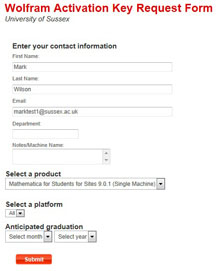 Fill in the rest of your details, including your expected year of graduation and click on Submit
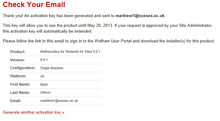 You will then receive a further email with a temporary activation key.
At this stage, the key will only be valid for a limited time but the Sussex administrators for Mathematica will automatically be notified of your activation and they will extend the period for you.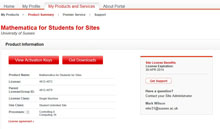 Click on the link in the email to download Mathematica, then click the Get Downloads button
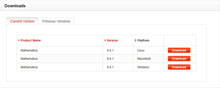 Download the version of Mathematica for your computer (Windows, Mac or Linux)
You then just need to download and run the installer and follow the on-screen process as normal to install the software on your computer.
created on 2013-05-17 by David Guest
last updated on 2026-07-07 by Benoit Sharp