

Questions and answers
2997Access Home Drive (N) using Filezilla
Filezilla is available from here:
Windows - Software Hub Filezilla
Mac - Filezilla Download
Once installed enter the following information in the top Quick Connect bar:

Host: unix.sussex.ac.uk
Username: University student username e.g. ano123
Password: Your University student password
Port: 22
Then click 'Quickconnect'
If presented with 'Unknown Host Key' Pop-Up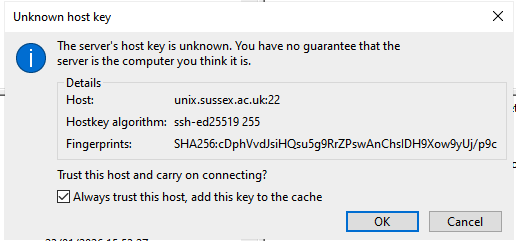
Click on 'Always trust this host........' Then Click OK
Then you should be presented with the main window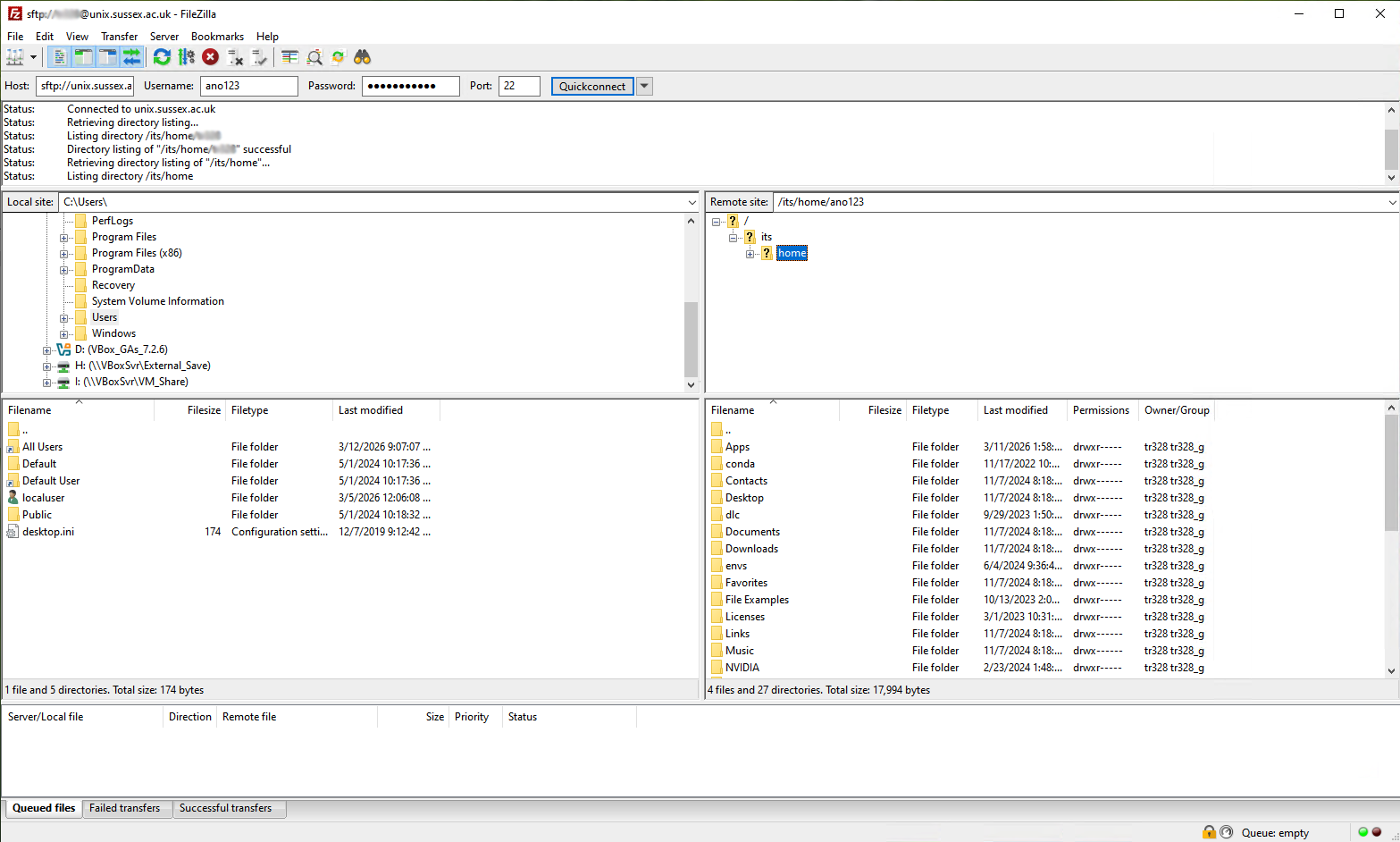
Your Local drive is on the left and your home drive is on the right.
Now you can click and drag files or copy/paste files across drives.
Help us to improve this answer
Please suggest an improvement
(login needed, link opens in new window)
Your views are welcome and will help other readers of this page.
Categories
This is question number 2997, which appears in the following categories: