

Questions and answers
1505Calendar: How can I use the calendar to publicise important submission deadline dates and other events on my Study Direct site?
Using the Events option in the Calendar Block
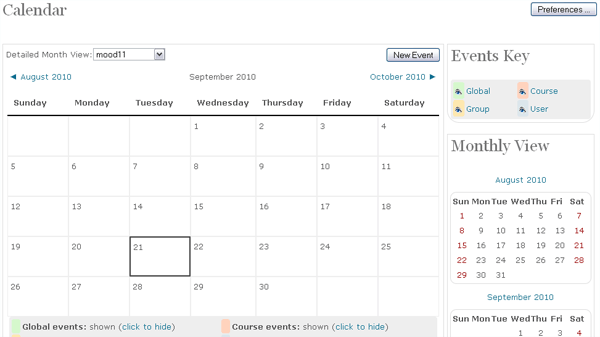
To see and hide the events that have already been scheduled for a particular month click to toggle the event links at the bottom of the calendar.
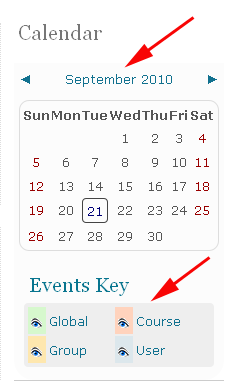
To add an event on the calendar
Click the month name on the Calendar to get an expanded month view. In the example shown above click the word September.
In Calendar view click the New Event button
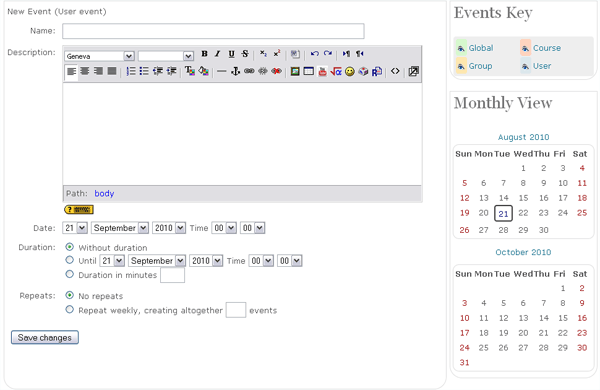
On a New Event page select the type of event and click OK
- A User Event will only be visible by the user currently logged in (i.e. the one creating the event);
- A Group Event will be visible to a particular Group on the module (chosen from a dropdown list);
- A Module Event will be visible to participants on the module in question. Only users with editing rights on a site can add module events;
- A Site Event is a "global" event - visible in every module and on the calendar on the home page. Only Administrators can add site events.
Complete the details for the event, click Save changes
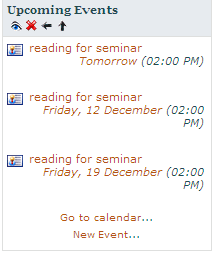
When you have set an event then you can use the Upcoming Event block to alert students
Help us to improve this answer
Please suggest an improvement
(login needed, link opens in new window)
Your views are welcome and will help other readers of this page.