
Issue with audio recording in lecture theatres and seminar rooms
Posted: Tue 27 Jan 2026, 2:20pm.
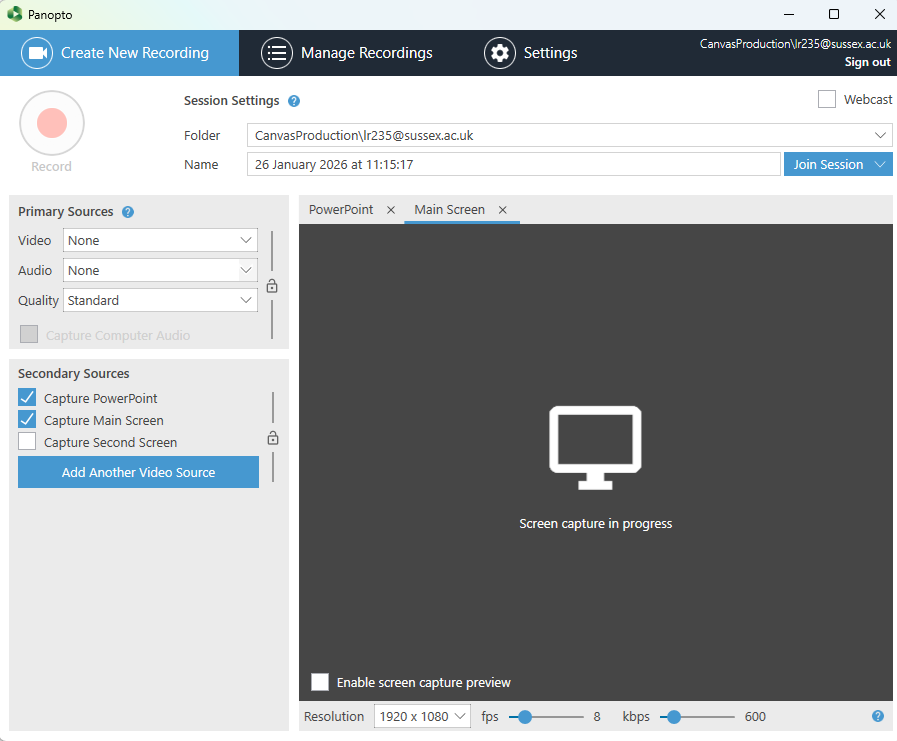
Following a recent audio driver update, Panopto may not automatically select a primary audio source when it opens.
If no microphone is selected (see first image), the Record button will appear greyed out.
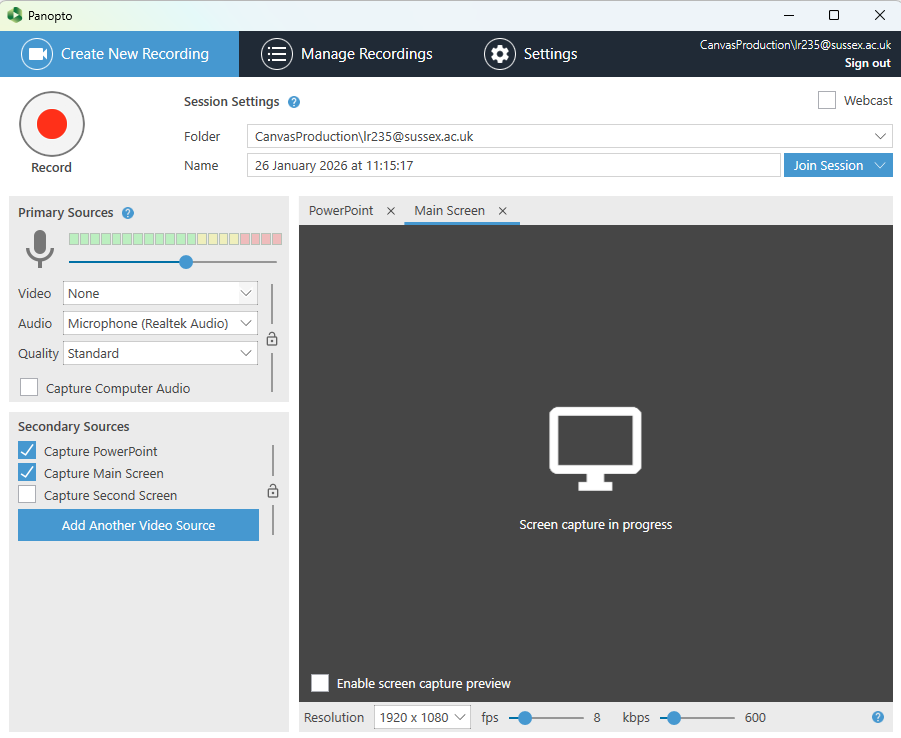
Fix: Before starting your recording, use the Audio drop-down to select Microphone — once selected, the record button will become active and the green audio level bar should respond when you speak (see second image).
We are currently working on a resolution and apologise for the inconvenience this has caused.
Subscribe to our latest news mailing list to receive email alerts of updates.